01
Keep the queue moving.
Find a product, scan with your phone camera, and complete the sale—even when the connection drops.
- Offline-first checkout with automatic sync
- Customers and promotions in the selling flow
- Sell on desktop, tablet, or phone
For Malaysian retail & F&B
POS for Malaysian shops and cafés. Connect checkout, stock, and daily reports, with offline selling when your connection drops.
14 days free · No credit card required
Desktop at the counter. Tablet on the floor. Phone on the go.
Actual product screen · Demo Cafe · Sample data
One sale. Already in the report.
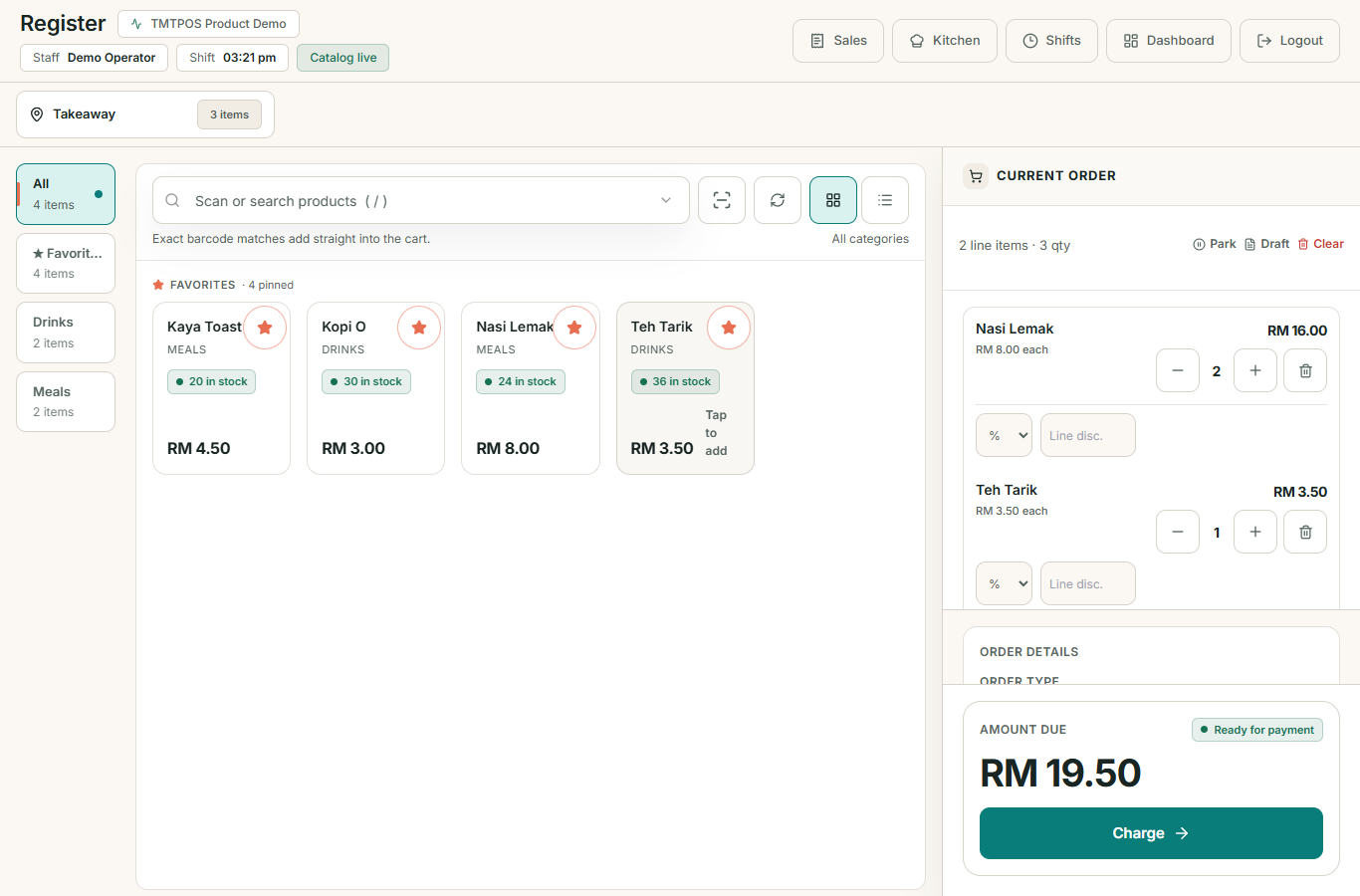
Two Nasi Lemak and one Teh Tarik: RM19.50, recorded through the actual checkout.
Follow the demo saleOne workspace. Three everyday jobs.
01
Find a product, scan with your phone camera, and complete the sale—even when the connection drops.
02
Keep inventory, suppliers, and purchase orders together, with stock tracked by outlet.
03
See what sold, when trade peaked, and how each outlet performed. Use the detail to plan your next shift.
Actual TMTPOS screens from a sample workspace. These show a demonstration transaction, not customer sales. Open any image to inspect it full size in a new tab.
Two Nasi Lemak at RM8.00 each and one Teh Tarik at RM3.50 make a RM19.50 order. We completed this demo sale with cash.
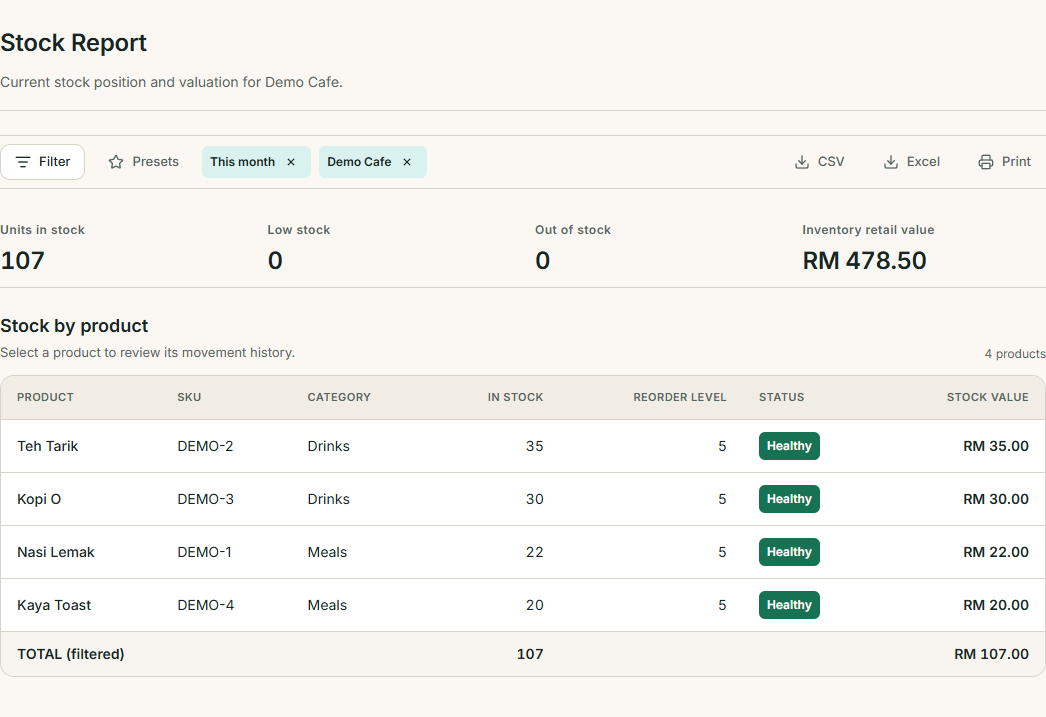
After payment, Nasi Lemak stock fell from 24 to 22 and Teh Tarik from 36 to 35 at Demo Cafe.
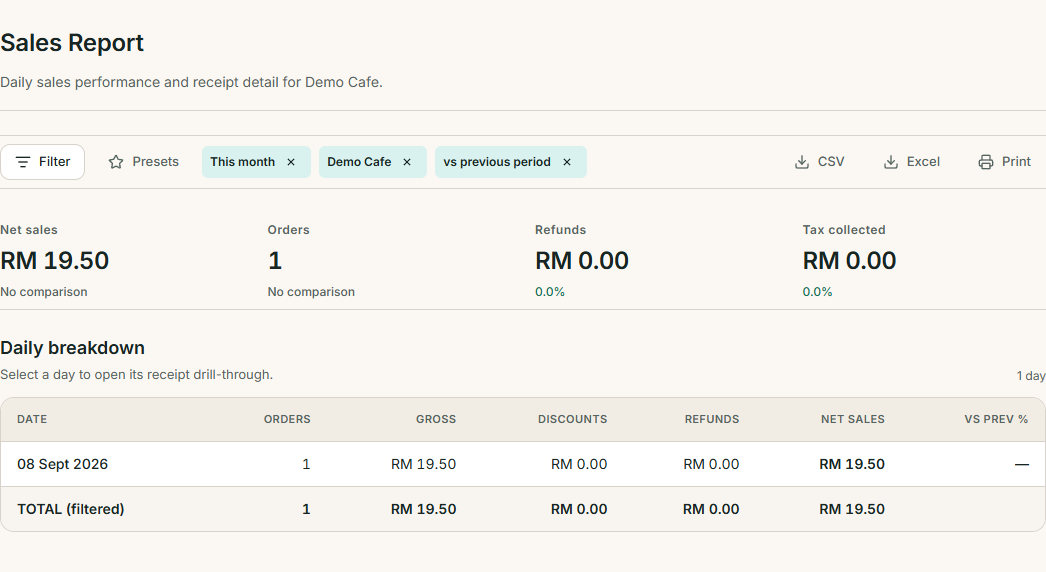
The sales report shows one completed order and RM19.50 in net sales for 8 September 2026.
Local by design
Automatically calculate 6% SST on applicable items, with tax breakdowns in reports.
Handle LHDN e-invoice submissions through the MyInvois workflow.
Queue sales locally and sync automatically when the connection returns.
Malaysia-based support in Bahasa Melayu and English.
Try TMTPOS free for 14 days. No credit card required. Cancel anytime. Choose your plan during signup. After the trial ends, a billing notice appears. Access remains available while an admin completes payment.
Try the daily essentials with your own products and team.
Freefor 14 days
Start with the free trial. No credit card.
Choose StarterConnect a growing operation with deeper reporting.
RM 199/ month
RM 1,990/year — 2 months free.
Choose BusinessFor larger, multi-outlet operations with room to grow.
RM 499/ month
RM 4,990/year — 2 months free. Larger deployments on request.
Choose EnterpriseGood to know
Practical answers for your next step.
You have 14 days to try TMTPOS with no credit card required. Choose your plan during signup and review the plan details before continuing. You can cancel anytime.
Your workspace shows a billing notice after 14 days. Access remains available while an admin completes payment. Open Billing in your workspace to review your subscription and payment options.
TMTPOS is offline-first: sales queue locally and sync automatically when you reconnect. Set up your workspace and load the POS while online first. Online services such as MyInvois submission still need a connection.
Share your workspace link with your team—for example, tmtpos.tmtecq.com/your-shop. Staff sign in there with their TMTPOS account. You can also use Sign In at the top of this page.
Yes. TMTPOS works on desktop, tablet, and phone. Phone-camera barcode scanning lets you scan products without a separate barcode scanner.
TMTPOS automatically calculates 6% SST on applicable items. MyInvois e-invoice is available on the Business plan. Confirm your tax setup and applicable obligations for your business.
Yes. Multi-outlet operations have inventory, shifts, and reports by outlet. Business supports up to 3 outlets and 25 staff; Enterprise covers larger operations.
Our Malaysia-based team supports Bahasa Melayu and English. Contact hello@tmtecq.com for setup questions or to discuss your operation.
Create your workspace, add your products, and bring your team along.